

Introduction
Divi 5 is a powerful and flexible builder that lets you create websites just the way you want them. This kind of control is great, especially if you are a designer or developer who likes to fine-tune every detail of your layout and style.
But all that flexibility can be a bit much when you are handing a site over to a client. Most clients do not need to see every setting, and if they have access to everything, it is easy for them to get confused or accidentally change something that breaks the layout.
In this guide, I will show you how to limit editing and design controls in Divi 5. This way, your clients can safely update their content without worrying about messing up the design or structure of the site.
▶️ Please watch the video above to get all the exciting details! 👆
The Problem With Full Access In Divi 5
Divi 5 is packed with tools and options right in the builder, which is great for creating custom websites. But if you’re building a site for a client, all that flexibility can actually make things harder for them.
Most clients just want to update some text, swap out a photo, or change their business hours. They don’t need all the design and advanced settings. When everything is visible, it’s easy for a simple update to accidentally mess up the design.
I’ve seen clients try to move something and end up changing the spacing, or pick a new color without realizing it changes the whole site. Sometimes they even delete a module by accident. It’s not because they’re careless. It’s just that the builder gives them more options than they really need.
Training helps, but let’s be honest, most people forget what they learned or get curious and try something new. Counting on clients to remember every step isn’t the best way to keep your layout safe.
A better approach is to limit what clients can see and change in the builder.
A Better Approach: Control What Clients Can See And Edit
You don’t have to give everyone full access to the Divi 5 builder. Instead, you can set things up so each person only sees what they need. This way, your clients can make updates with confidence, without worrying about running into settings that could cause problems.
With Divi Builder Experience Helper, you can set up workspaces that control what each user can see and edit. You just assign these workspaces to the right people or roles, so everyone gets a builder that fits what they actually need to do.
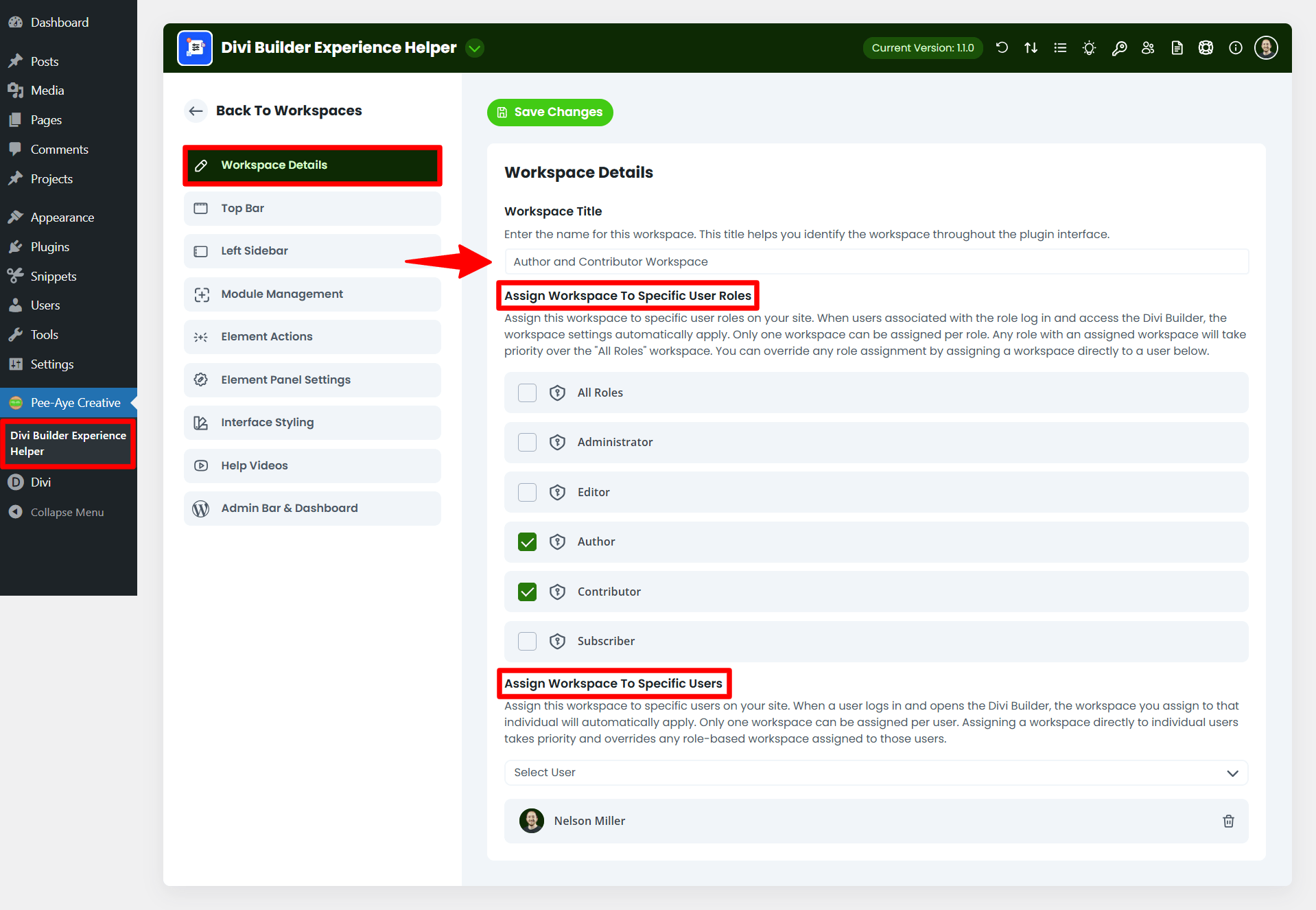
For example, you might set up a client workspace that lets them change text and images, but keeps design and layout options out of sight. This keeps things simple and safe, so clients can update their site without any stress.

Limit Editing And Design Controls In Divi 5
Use our Divi Builder Experience Helper plugin to completely customize the entire Divi Builder interface for any client or team users.
How To Limit Editing And Design Controls In Divi 5
When you take a moment to figure out what your clients really need to edit, it gets a lot easier to set up the builder in a way that works for them.
Hide Entire Tabs Like Design And Advanced
A quick win here is to hide entire tabs inside the modules. This is one of the easiest ways to keep things simple for your clients.
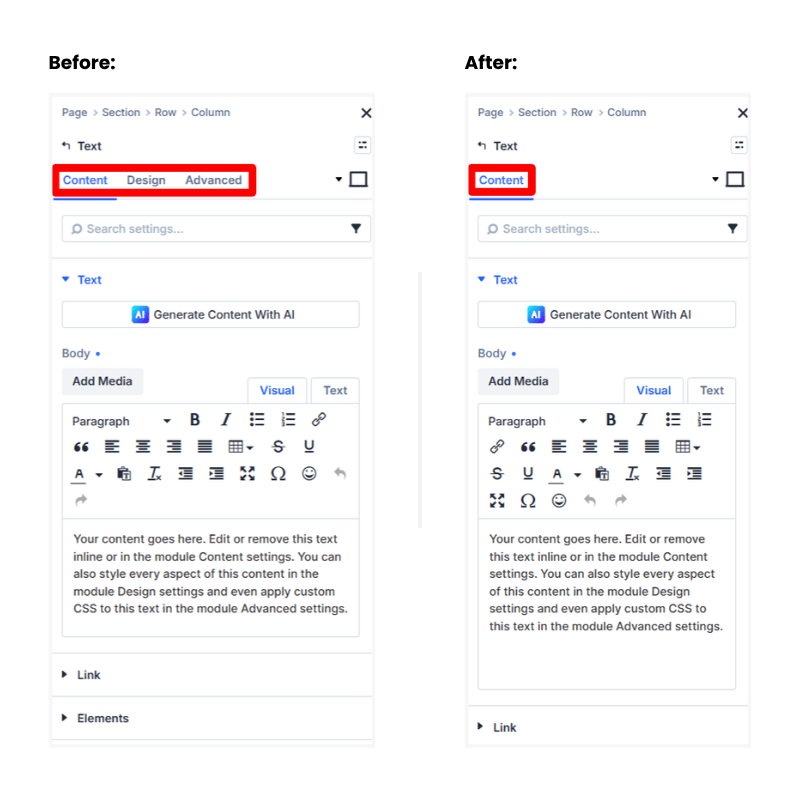
Most of the time, your clients only need the Content tab. If you take away the Design and Advanced tabs, you stop them from changing things like spacing, colors, animations, or custom CSS. This helps keep your layouts looking the way you intended.
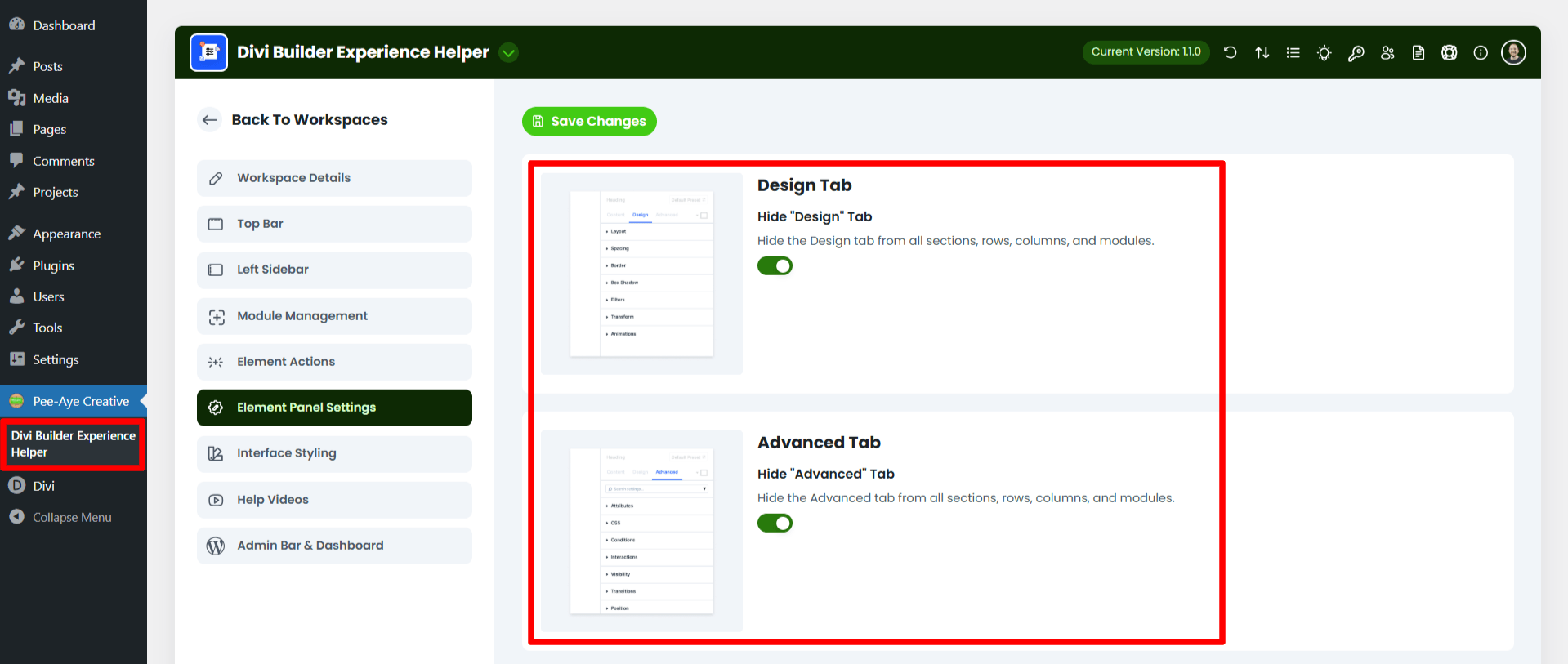
With a simple on/off toggle, the tabs are hidden! This makes the interface less cluttered and helps prevent any accidental changes that could mess up the design.
Hide Specific Design Settings And Option Groups
Sometimes you want to give your clients a bit of freedom to make changes, but you also want to keep the important parts of your layout safe and looking good.
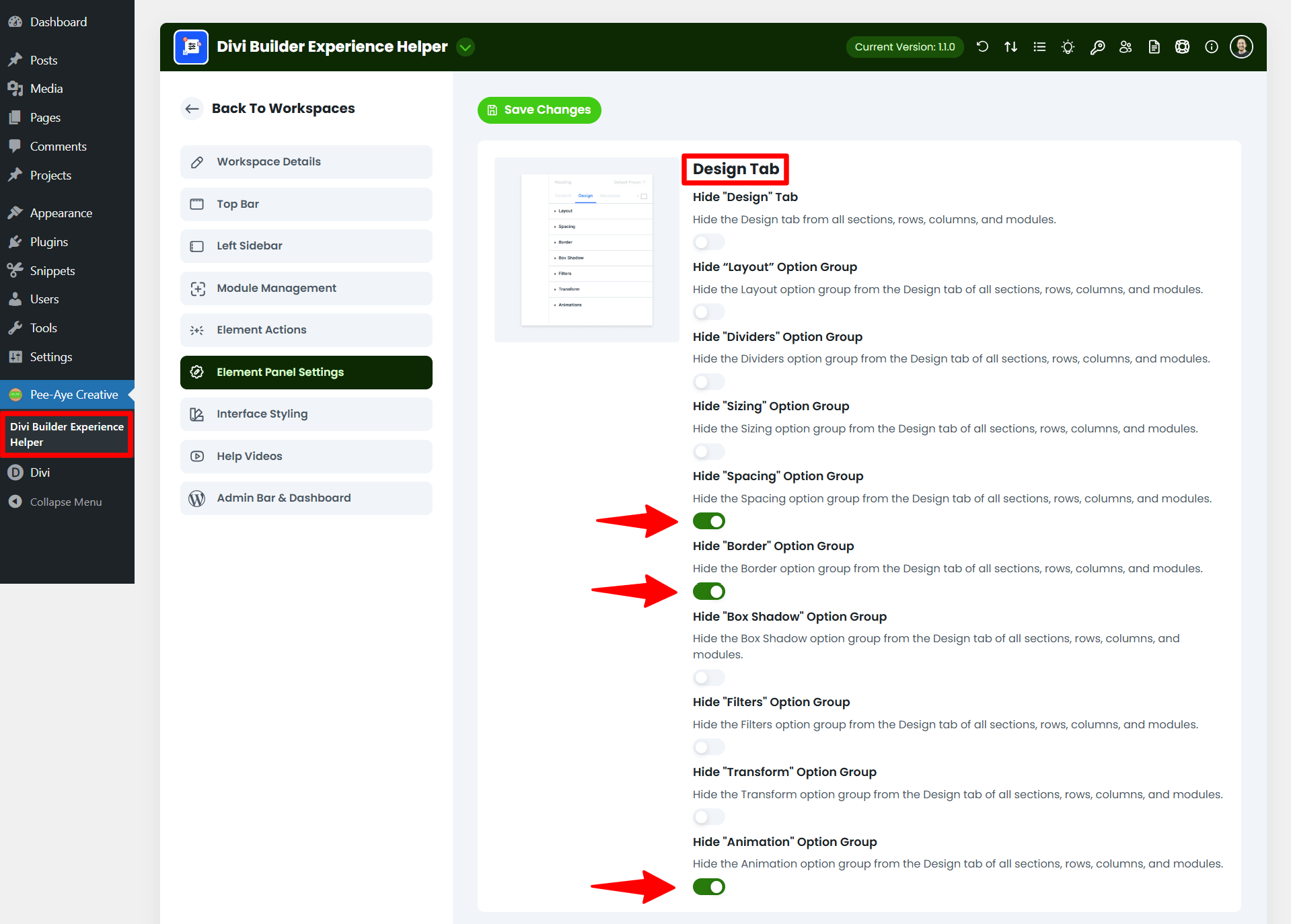
Rather than hiding the whole Design tab, you can pick and choose which groups of settings to show or hide. For example, you might let clients adjust text but keep things like spacing, colors, or animations locked down. This way, you stay in control of the overall design while still letting clients make safe changes.
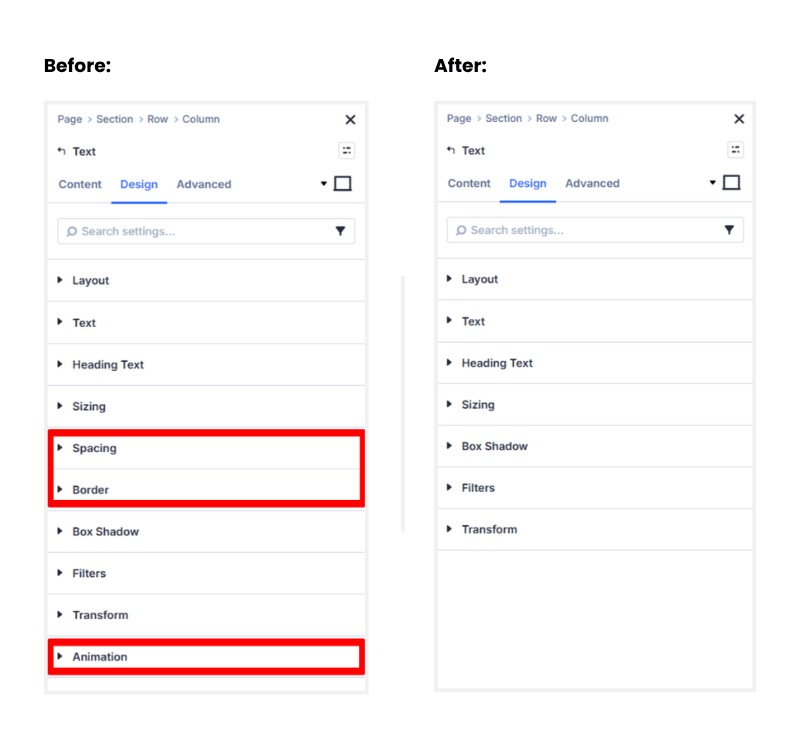
Let’s say you want your client to update their own text, but you don’t want them changing fonts, margins, or colors. This keeps the site looking professional and consistent, while still giving them some control.
Restrict Layout Changes And Module Management
Editing your content is pretty straightforward, but changing the actual structure of your page is a whole different ballgame.
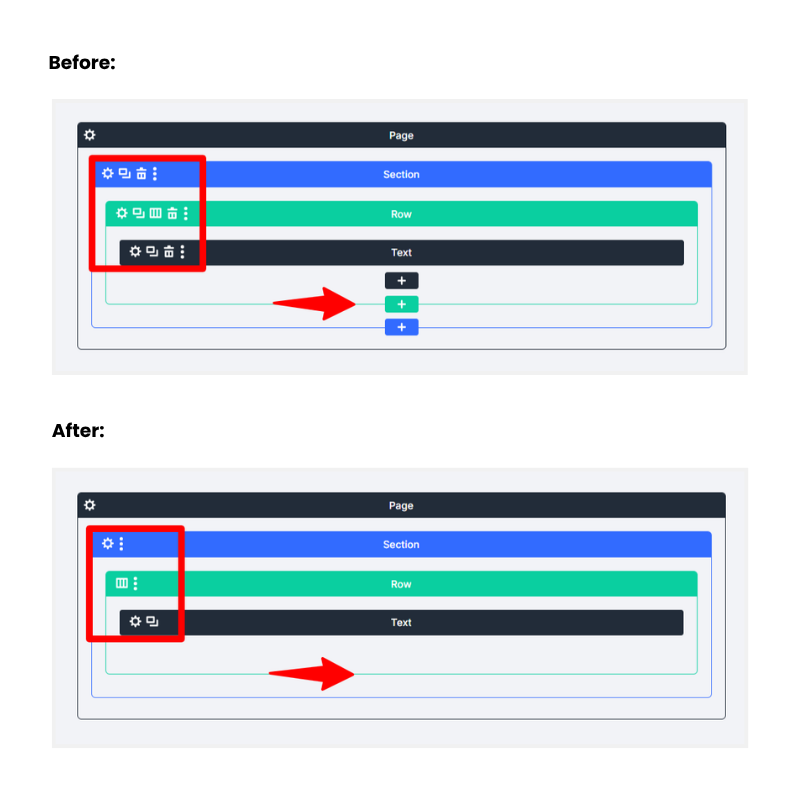
If you want to keep your carefully designed layout safe, you can set things up so clients can’t add, remove, or move around sections, rows, or modules. This is a great way to make sure your hard work stays just the way you intended.
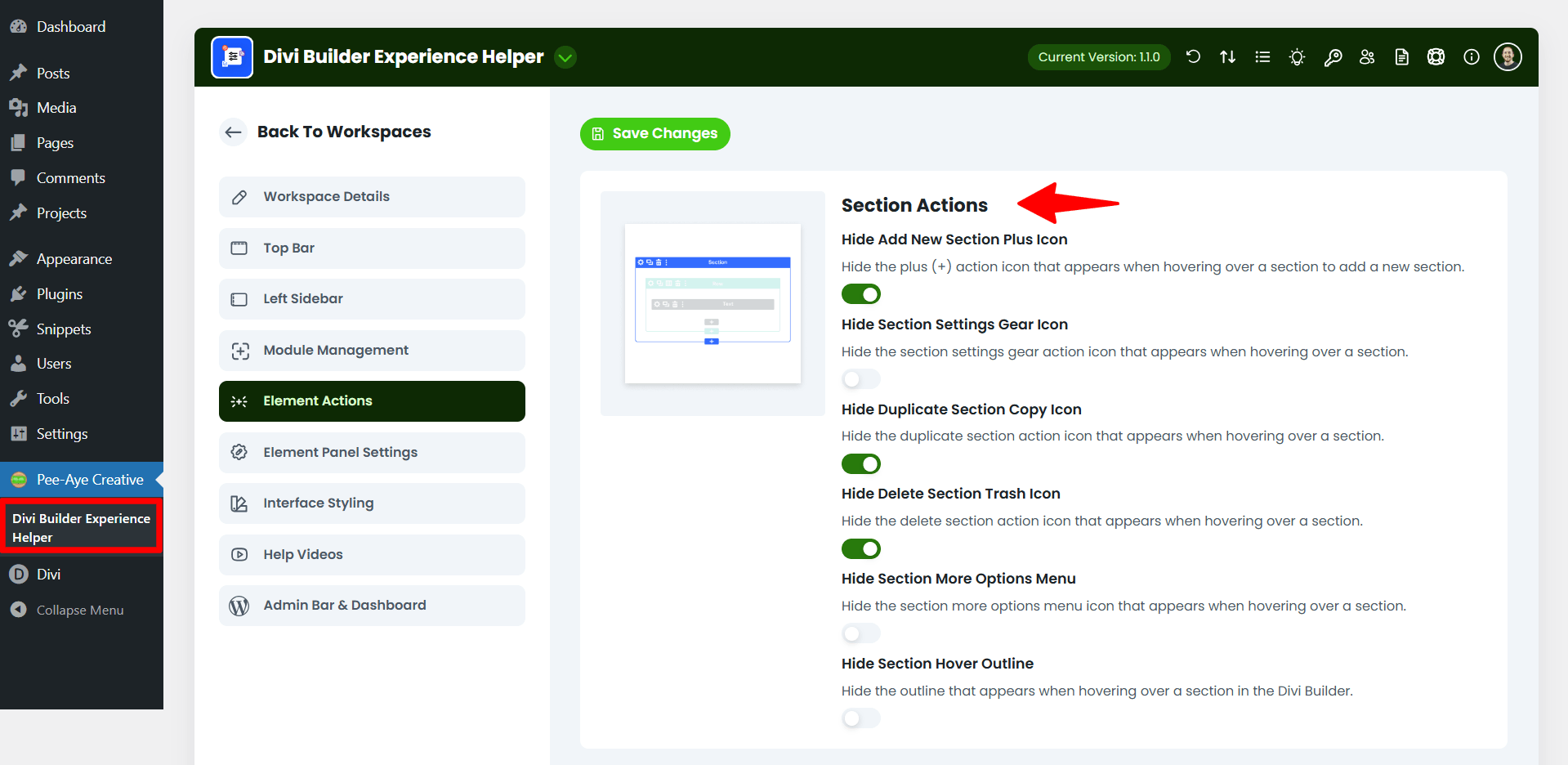
Most of the time, your clients just need to update the content that’s already there, not rebuild the whole page from scratch. By limiting what they can change structurally, you keep the layout solid while still giving them the freedom to make important updates.
Clean Up Right-Click And Advanced Menus
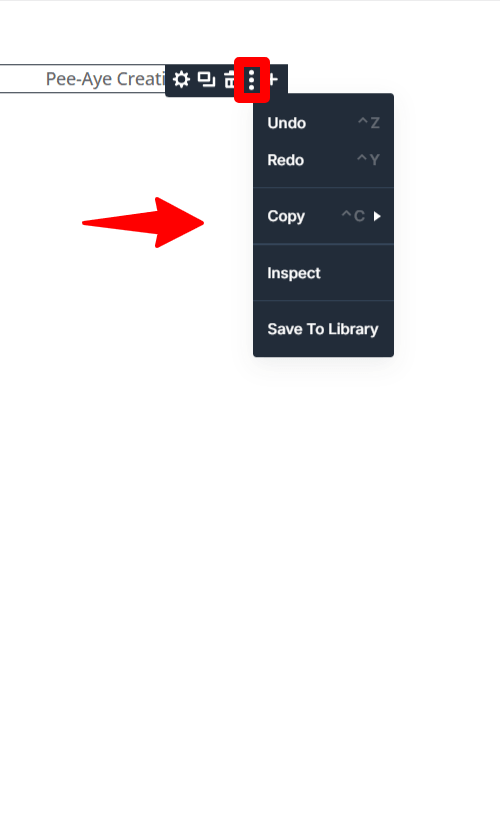
Divi gives you extra controls in the right-click and more options menus. These let you do things like copy styles, extend them to other elements, duplicate sections, or even delete items with just a click.
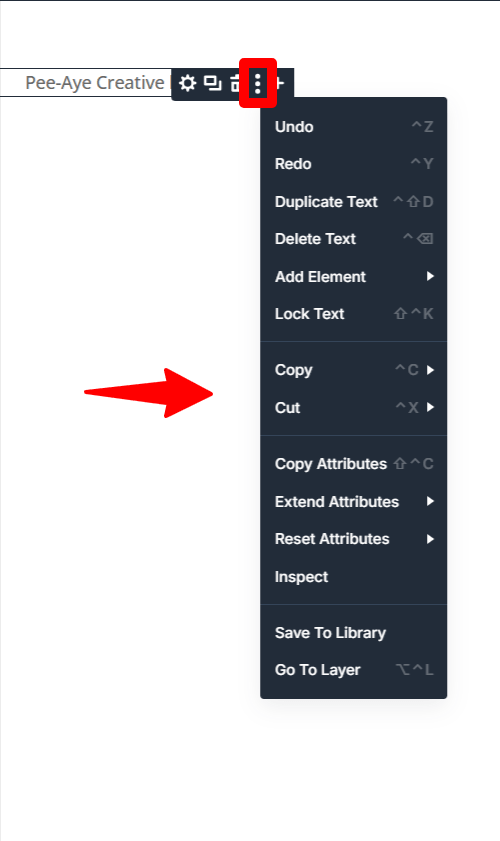
While these tools are great for developers and designers, they can sometimes be confusing or risky for clients who are just getting started.
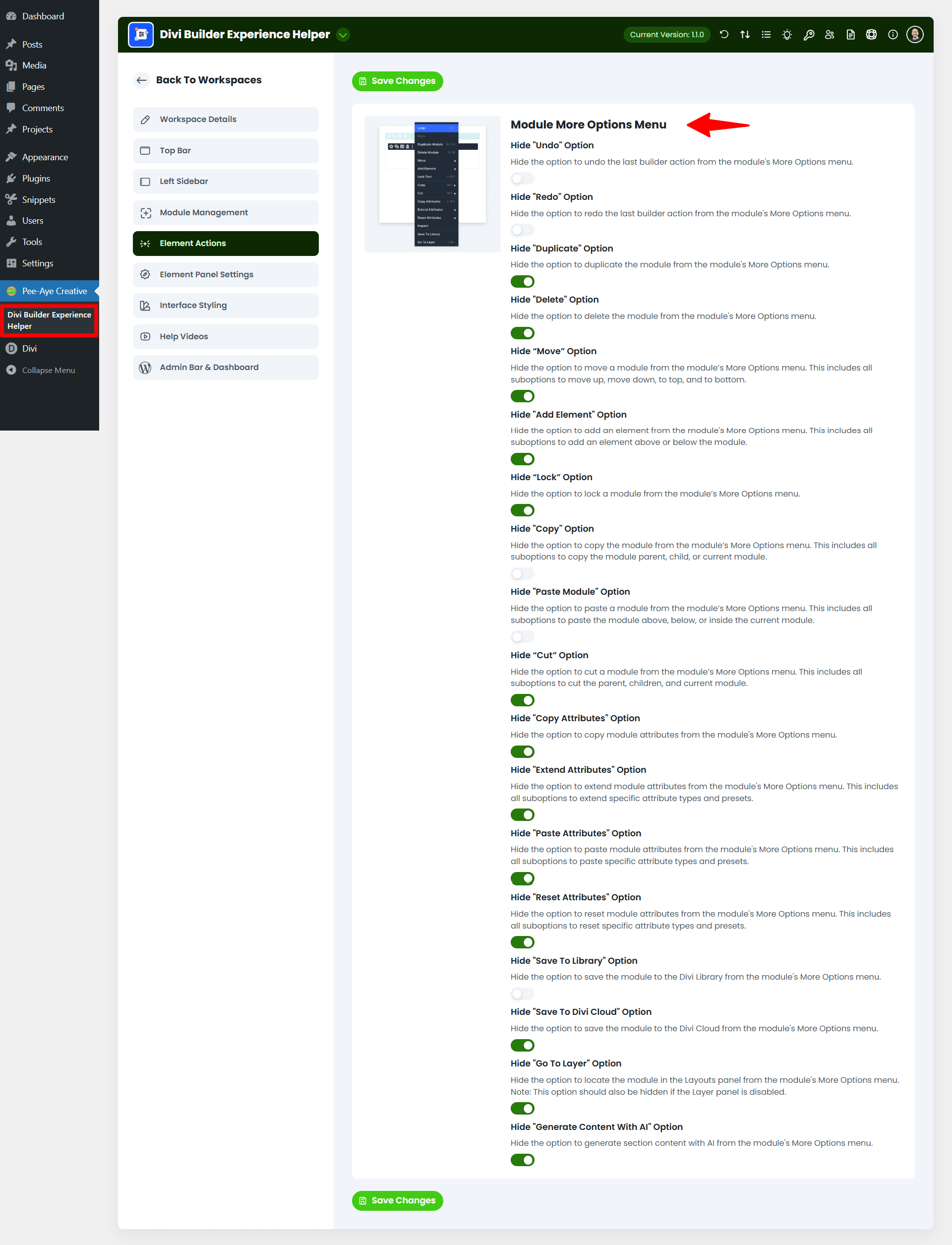
If you remove or simplify these options, you make it less likely that someone will make a mistake by accident. It also helps keep the interface clean and easy to use, especially for beginners.
Creating A Safer Editing Experience For Clients
When you put these controls together, you end up with an editing experience that just makes sense. Things feel more focused and you know what to expect.
Now, when your client logs in and opens the builder, they can see right away what they can do. They can change text, swap out images, or tweak basic content without getting lost in advanced settings or stressing about messing up the design.
Meanwhile, you still keep full control over how the site looks and works behind the scenes.
Divi 5 gives you the freedom to build just about anything. By choosing where to limit editing and design controls, you make sure that flexibility actually helps both you and your clients, instead of causing confusion.

Learn More About Divi Builder Experience Helper
Customize and control the Divi Builder UI/UX with the Divi Builder Experience Plugin by showing or hiding interface elements, choosing default preferences, enabling or disabling features and options, and personalizing styles and text, all within configurable, reusable workspaces that can be assigned to any user or role, imported and exported between sites, and used to create a faster, simpler, and personalized Divi editing environment.
- Simplify The Divi 5 Builder For Clients And Non-Technical Users
- Personalize The Divi 5 Builder To Match Your Own Workflow
- Hide Any Module, Option, Setting, Or UI Element In The Divi 5 Builder
- Customize The Divi 5 Builder Interface For Specific Users And Roles
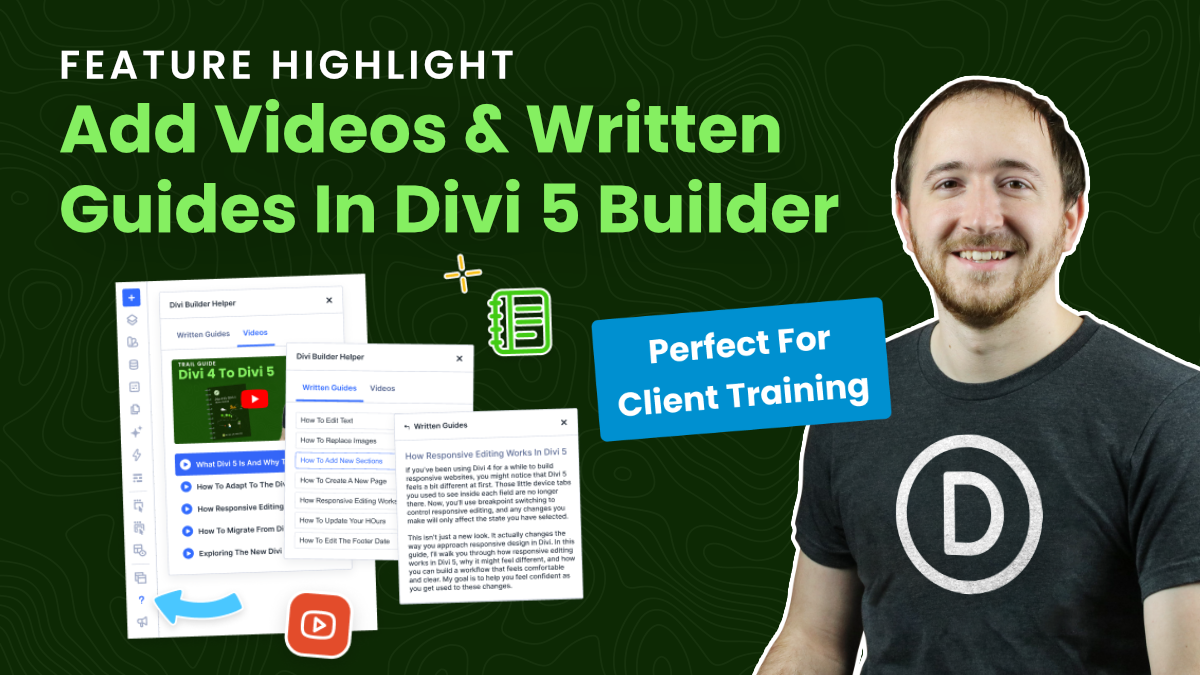
- Add Your Own Custom Help Videos And Written Guides Inside The Divi 5 Builder
- Customize The Divi 5 Builder Interface Colors And Styling
- Save, Export, And Reuse Your Favorite Divi 5 Builder Configurations
- Control Access To Modules, Settings, And Builder Features By User Or Role
This plugin is evolving rapidly, so let us know which feature to add next!










0 Comments