redirect users to any page after submitting divi contact forms with the divi contact form helper plugin by pee aye creative

Solution

Redirect Users To Any Page After Submitting Divi Contact Forms

Divi provides limited control over what happens after form submission, but our Divi Contact Form Helper plugin solves this by letting you redirect users to any page or URL with optional timing controls.

  • Redirect users automatically after form submission
  • Choose between internal pages or custom URLs
  • Control redirect timing for a smoother experience
Nelson Miller Profile Orange

👋  Hello! I’m Nelson Miller, the owner of this company. I work with Divi every day and enjoy creating helpful solutions like this in our popular plugins. I hope you enjoy it, and let me know if you have any questions! 

problem

The Problem

When users submit a contact form, they often expect clear guidance on what to do next. However, the default settings in Divi provide limited options for redirecting users after submission. This can lead to confusion and missed opportunities for further engagement.
solution

The Solution

Our Divi Contact Form Helper plugin allows you to redirect users to any page or URL after they submit a form. This feature gives you the flexibility to guide visitors to confirmation pages, additional resources, or other important content. You can also set a delay for the redirect, making the transition smoother for users. This way, you can create a more tailored experience that aligns with your goals.
Divi Search Helper Logo

Redirect Users After Form Submission

The Divi Contact Form Helper allows you to redirect users to any page after they submit a form. This helps guide them to the next steps in their journey.
action

How This Changes Your Workflow

With the ability to redirect users after form submission, your workflow becomes more streamlined. You can easily guide users to the next step in their journey, whether that’s a thank you page or a resource link. This change helps maintain engagement and ensures users know what to expect after they submit their information.

The Old Way 👎

  • No control over post-submission actions
  • Users may feel lost after submitting
  • Limited options for follow-up engagement

With Our Plugin👌

  • Redirect users to any desired page
  • Provide clear next steps after submission
  • Control timing for a smoother transition
Refresh icon with green arrows on gray background.

Practical Use Cases for Redirects

  • A freelancer can guide clients to a thank you page after they submit a contact form, ensuring they know their inquiry was received.
  • Agency owners often need to direct potential clients to specific service pages after form submissions, making it easier to showcase relevant offerings.
  • Store owners can redirect customers to promotional pages after inquiries, helping to keep them engaged with ongoing sales or events.
  • Website admins can use redirects to send users to helpful resources or FAQs, improving user experience and reducing confusion.
  • Event organizers can lead attendees to registration confirmation pages, ensuring they have all the necessary details after signing up.
why

How To Use Redirects in Divi

Open the Divi Builder and select or add the Contact Form module. Go to the Content tab, then click After Submission Behavior and enable the Enable Redirect URL option.

After enabling the redirect feature, you will see new options to set a Custom URL or Redirect To Page, as well as adjust the timing for the redirect.

redirect users to a custom url in the divi contact form module using divi contact form helper plugin created by pee aye creative
redirect users to any page in the divi contact form module using divi contact form helper plugin created by pee aye creative
frequently asked questions

Frequently Asked Questions

Can I redirect users to an external URL?

Yes, you can redirect users to any external URL after form submission using the settings provided in the plugin.

Is it possible to set a delay for the redirect?

Absolutely, you can control the timing of the redirect to create a smoother user experience.

What happens if I don't set a redirect?

If you don't set a redirect, users will remain on the same page after submitting the form, which may lead to confusion.

Can I redirect to different pages based on form responses?

Currently, the plugin does not support conditional redirects based on form responses; all submissions will follow the same redirect settings.

How do I test the redirect feature?

You can test the redirect feature by submitting the form yourself and observing if you are taken to the specified page or URL.

divi contact form helper

Get This Feature And More With The Divi Contact Form Helper Plugin

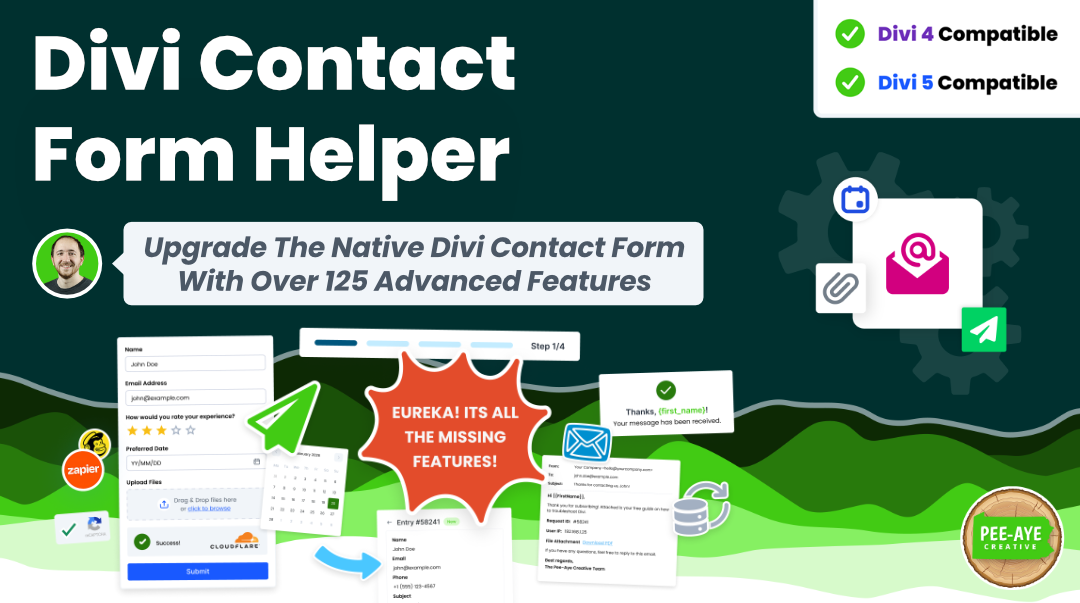
The ability to redirect users after form submission is just one of the features offered. Divi Contact Form Helper provides extensive options for creating complex forms directly in the builder, enhancing your control over user interactions.

Explore Our Other Divi Solutions

Shopping cart0
There are no products in the cart!
You may be interested in…
Divi Builder Experience Helper Plugin by Pee-Aye Creative
From: $29.00 / year

Select options This product has multiple variants. The options may be chosen on the product page

divi assistant plugin by pee aye creative
From: $69.00 / year

Select options This product has multiple variants. The options may be chosen on the product page

Divi Carousel Maker Plugin by Pee Aye Creative
From: $29.00 / year

Select options This product has multiple variants. The options may be chosen on the product page

Logo for D Beginner Course with graduation cap
From: $47.00 / year

Select options This product has multiple variants. The options may be chosen on the product page

divi events calendar
From: $54.00 / year

Select options This product has multiple variants. The options may be chosen on the product page

Continue shopping
0