What Is The Theme Builder
When Divi 4.0 released, it introduced a new feature called the Theme Builder. The Divi Theme Builder is a revolutionary tool that allows you to builder every area of your website using the Divi Builder. In the past we could only edit the page areas, but now we can edit things like the header and footer and many more areas.
We build our templates with modern practices, so naturally we use the Theme Builder. The cool part about this is that it allows you to use the familar Divi Builder on areas of your site like the header and footer, and also to make templates for blog posts, categories, projects, and so much more!
Which Templates Are Included
The templates that are included with your child theme will vary, but in general they include templatess for headers, footers, blog posts, blog categories, projects, project categories, courses, lessons, topics, and more!
How To Edit The Templates
The templates are found in the Divi Theme Builder. So all you have to do is go to your WordPress DashBoard to Divi>Theme Builder. There you will see the templates included with the theme. Below is an example image using the Divi Mowing child theme:
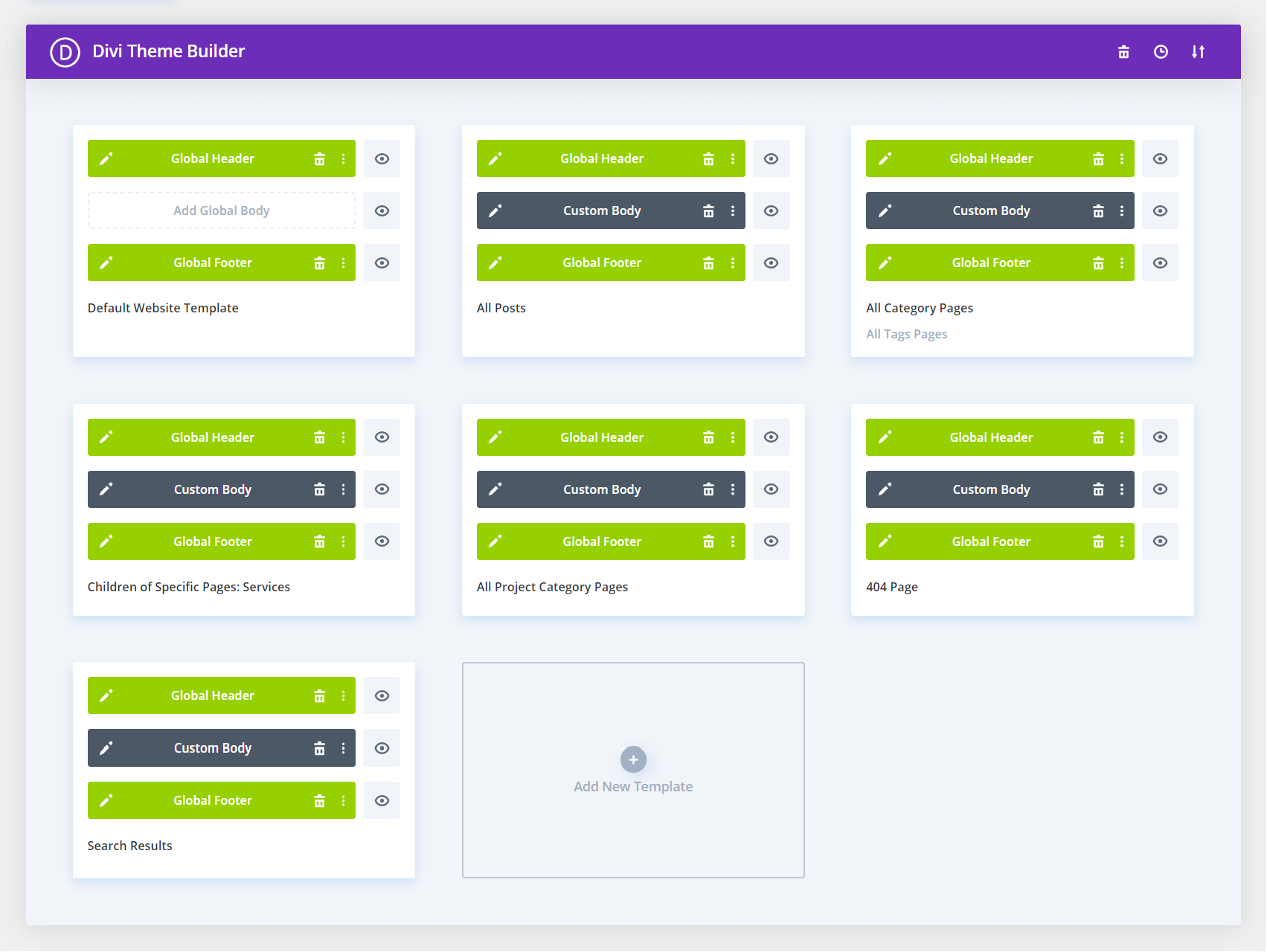
From here you can edit the Divi layout of any of the templates. To edit them, simply click on the little pencil icon on the left side of each template. This opens up the familiar Divi Builder. Have fun!
As of Divi version 4.12, you can now access and edit the Divi Theme Builder templates from the frontend.
Divi Theme Builder Course
If you are new to Divi or are not famiar with the Divi Theme Builder yet, then you may be interested in our helpful Divi Theme Builder Course!